How to find where a TikTok was filmed
Check the caption, the location sticker and the top comments first; most videos name the place there. If they don't, take a screenshot of the clearest frame and run it through a photo location tool, or share the video to somewhere, which reads the post and pins the place on a map.
Published 20 November 2026
In short
- Start with the caption, the location tag and pinned comments. It is the fastest route and it is usually right.
- If nothing names the place, a screenshot of the clearest frame works in a photo location tool.
- Frames with a sign, a skyline or a famous landmark work best. Close-ups of food or a wall rarely do.
- Treat any answer that is only a "best guess" as a lead to check on a map, not a fact.
1. Read the caption, the sticker and the comments
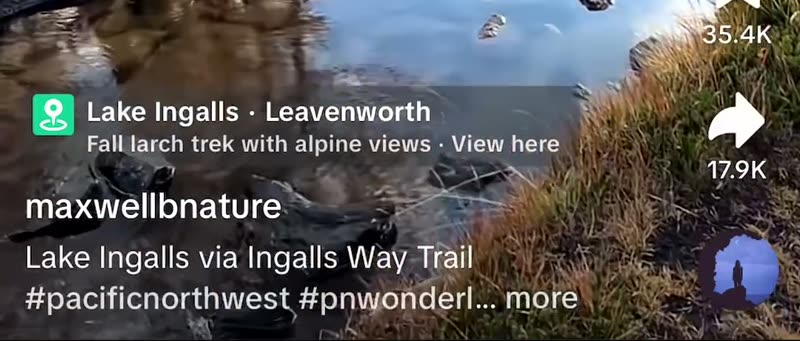
Most creators who film at a real place say where, just not always in the first line. Open the full caption, look for a pin or location tag above it, and scroll the top and pinned comments. People ask "where is this?" under almost every travel video, and the creator or another viewer often answers.
- Caption: tap "more" to expand it, and look at the hashtags, which often name the city or the venue.
- Location tag: a small pin and name near the username. Tapping it shows other videos from the same place.
- Comments: search for the place name in the comments, or sort by newest and look for replies from the creator.
2. Look at the video itself
If the caption is silent, pause on frames with writing in them: a shop sign, a street name, a menu, a station board, a ticket. Even a partial name plus the city you suspect is enough to search Google Maps.
Landmarks work too. Mountains, coastlines, bridges and building styles narrow a place to a region quickly, and a region plus one unusual feature is usually enough to find it.
3. Screenshot the clearest frame and use a photo location tool
Pick the frame with the most scenery and the least text overlay, screenshot it, crop out captions and stickers, and upload it to a tool that identifies places from photos. We built a free one: Where is this place? Your first lookup is free, no sign-up, and the photo is never stored.
- Pause the video on the widest, clearest frame and take a screenshot.
- Crop out the caption, username and stickers so they don't cover the view.
- Upload it to the photo tool and read the named place and how sure it is.
- Open the place in Google Maps and compare the surroundings with the video before trusting it.
A worked example: Lake Ingalls
To see how this goes in practice, we took the same @maxwellbnature video, cropped a frame of the mountain and stream so that no caption or buttons showed, and ran it through the free tool on 20 Nov 2026. It answered Lake Ingalls Trail, in the Alpine Lakes Wilderness in Washington, marked as a likely match, and listed Prusik Peak in the Enchantments as another possibility.
Here the tool and the video's own location tag agree. If they had not, we would have gone back to the comments, or opened the place in Google Maps and compared the ridge and the water with the video.
4. Save it to a map so you don't lose it
somewhere is an iPhone app. Share a TikTok, Instagram or Threads post to it and it reads the caption, looks through the video, finds the place and pins it on your map. For a video where the caption names the place it is a one-tap save. For one that doesn't, it looks through the video itself for the answer.
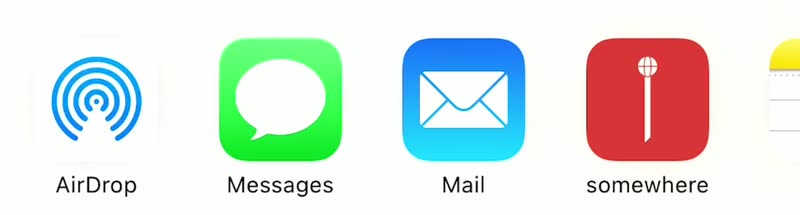
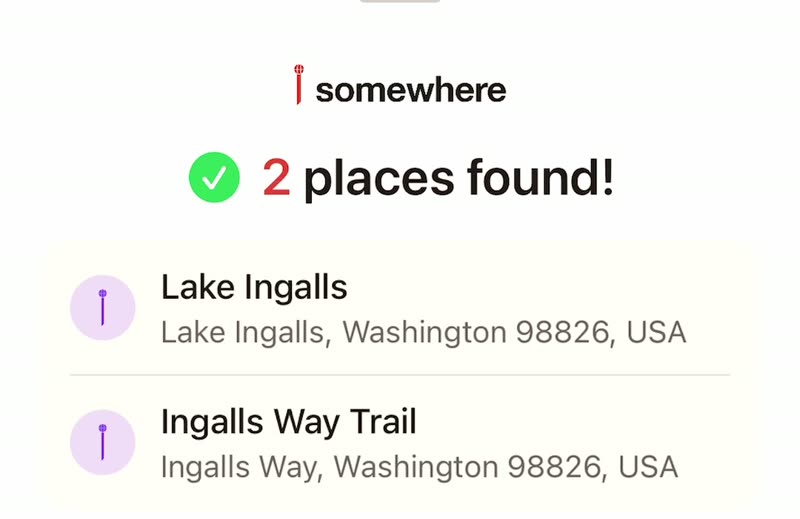
In our recording of the Lake Ingalls video, we tapped Share on the TikTok and chose somewhere. The app says it reads the post, checks the video and cross-checks the map, which it says usually takes 10 to 35 seconds. It came back with two places, Lake Ingalls and Ingalls Way Trail, and saved them to the map.
How accurate is this?
Our own check on 15 Nov 2026, on three real Reddit "where is this?" threads where commenters had settled the answer: the tool got one exactly right (a New York station), one on the right island but the wrong beach, and one wrong. Famous landmarks and distinctive scenery do well; generic beaches, forests and cafés are harder, and a confident-sounding label does not guarantee a correct answer. That is why step 4 of the screenshot method, checking on a map, is not optional.